Sellsy · Guide
Log SIP calls in Sellsy from iPhone
Turn Callmar conversations into Sellsy phone-call records linked to the right contact and owner.
Updated for Callmar 1.4 ·
What Callmar sends to Sellsy
Callmar creates a Sellsy phone-call record with direction, result, time, duration and transcript text. The call is linked to a contact and a Sellsy staff owner.
Sellsy can attach a phone call to several kinds of records, but Callmar’s integration always links the call to a contact. The audio recording, Apple Intelligence summary and tasks are not sent.
Where Callmar fits in Sellsy telephony
Sellsy can store a professional call history and also supports telephony connectors. Callmar is a focused option for one mobile source: an existing SIP line or PBX extension used on iPhone. It knows the calls that pass through Callmar and can create the Sellsy phone-call record after transcription.
This includes incoming and outgoing SIP calls handled inside Callmar. It does not inspect carrier calls from the iPhone Phone app, FaceTime, WhatsApp, another softphone or a desk phone. The direct connector is post-call logging; it does not add a live dialler inside Sellsy or sync SMS, voicemail and recording links.
This setup fits an individual or small team that already has SIP credentials and wants a searchable Sellsy call record with transcript text. Teams that need a full contact-sync or contact-centre platform should choose a telephony integration built for that broader workflow.
Create a Sellsy Personal client
- Open the Sellsy API V2 guide, then open the developer page in your signed-in Sellsy account.
- Create a Personal client linked to the Sellsy staff member who will own the connection.
- Add the exact scopes
phonecalls.read,phonecalls.write,contacts.read,contacts.writeandstaffs.read. - Save the client and copy its Client ID and Client Secret.
Connect Sellsy in Callmar
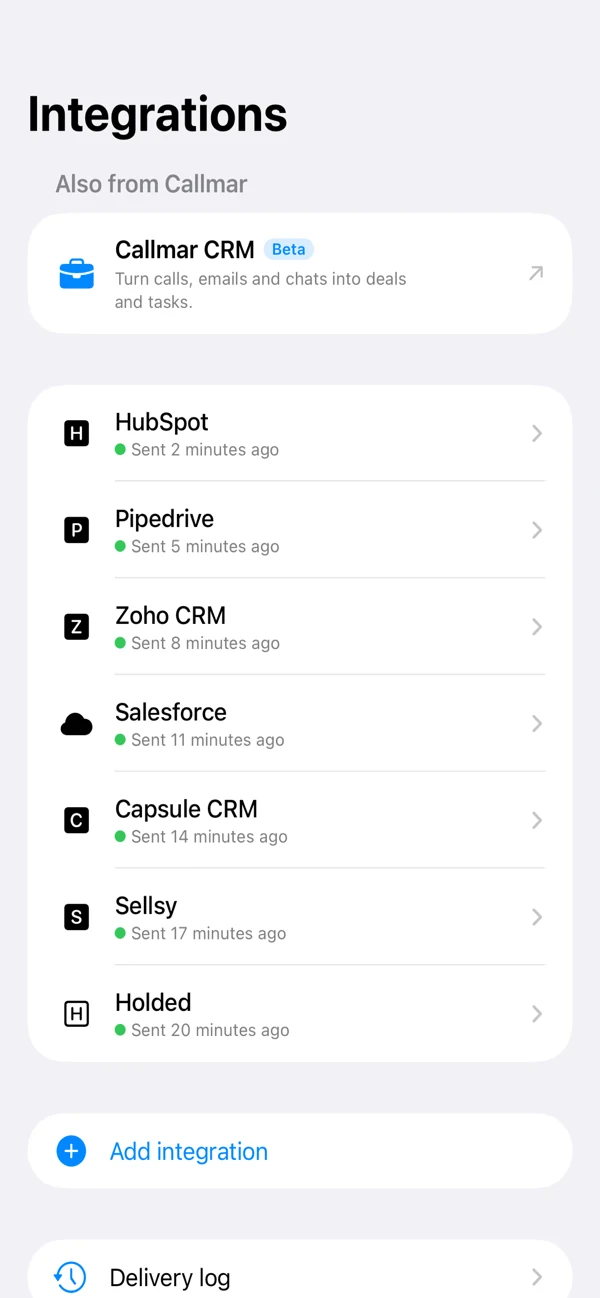
- Open Settings → Integrations → Add integration → Sellsy.
- Paste the Client ID and Client Secret, then tap Connect.
- Leave Staff ID blank for automatic owner selection, or enter one when your account needs a specific owner.
- Run Test connection and wait for Callmar to confirm the test call was created and then removed.
The test resolves the staff owner, creates a temporary contact and phone-call record, reads the call back and deletes both test objects. It checks staff, contact and phone-call permissions in one step.
Choose the staff owner
Sellsy requires an owner for a phone-call record. With Staff ID empty, Callmar requests one staff record and uses the first record Sellsy returns. This is normally sufficient for an individual account, but it does not prove which staff member owns the Personal client.
Verify the owner after Test connection. Enter a Staff ID when the account has multiple staff members, when automatic selection chooses the wrong person, or when an administrator wants a specific owner. If Test connection fails while resolving staff, first check the staffs.read scope and the type of API client.
Handle unknown numbers
Callmar creates Sellsy phone calls with a contact relation. With Auto-create contact if missing off, an unknown number is not logged. Turn the switch on if you want Callmar to create a basic contact and attach the phone call.
The switch is off by default. Keep it that way until you know how your Sellsy workspace assigns contacts, handles required fields and reviews duplicates.
Verify the first real phone call
- Use a number already saved on a Sellsy contact.
- Complete a short SIP call in Callmar and wait for transcription.
- Check that Delivered increases in the Sellsy integration.
- Open the Sellsy phone-call record and verify the contact, owner, direction, result, duration and transcript.
If you enable auto-create, repeat once with an unknown number and confirm the basic contact is acceptable to your team.
Monitor and retry delivery
Callmar keeps local delivery receipts for confirmed Sellsy records. The integration detail shows calls with transcripts, delivered calls, missing calls and queued retries.
Open Delivery log to see the last failure, restore the client or scopes, then retry. Send missing calls skips confirmed receipts. Resend everything clears them and may create duplicate contacts or phone-call records.
Fix common Sellsy problems
Connect fails with invalid client
Confirm that you created a Personal client and copied both values without extra spaces. A Public or Private application uses a different flow and is not the Callmar setup described here.
Test connection cannot find an owner
Add staffs.read. Leave Staff ID empty for normal automatic resolution, or enter the correct numeric ID when your workspace needs an explicit owner.
A known caller is not matched
Check the number stored on the Sellsy contact and use a consistent international format.
An unknown call is absent
This is expected with auto-create off because Callmar uses a contact relation for every Sellsy phone call.
Privacy boundary
Sellsy receives call details and transcript text. The audio recording remains on the iPhone, and the direct integration does not send the Apple Intelligence summary or follow-up tasks.
Protect the Client Secret like a password. Remove it from Callmar and revoke the Personal client in Sellsy when the integration is no longer used.
Bring your own SIP line. 14-day free trial. Recording & transcription off by default.