Salesforce · Guide
Log SIP calls in Salesforce from iPhone
Turn Callmar conversations into Salesforce call tasks with the transcript attached as text.
Updated for Callmar 1.4 ·
What appears in Salesforce
Callmar creates a Salesforce Task marked as a call. It includes the phone number, direction, date, duration and transcript text, and links to a matching contact when one is found.
The transcript goes into the Task description, so a user can read it without downloading an attachment. The audio recording and Apple Intelligence summary are never sent to Salesforce.
Automatic iPhone call logging: what this covers
Salesforce can store a call that a user enters with Log a Call, and a connected telephony platform can automate calls that pass through that platform. Callmar is the mobile SIP version of that second pattern: the call must be made or received inside Callmar.
Because Callmar owns that SIP call session, it knows the direction, number, time, duration and final transcript and can create the completed Salesforce Task without asking the user to retype those details. This includes incoming and outgoing SIP calls handled by Callmar. It does not monitor carrier calls in the iPhone Phone app, FaceTime, WhatsApp, another softphone or a desk phone.
This connector is post-call logging, not Salesforce CTI or Service Cloud Voice. It does not add a dialler inside Salesforce or attach Callmar’s audio. It fits teams that already use a SIP line on iPhone and want a searchable call Task with transcript text.
Create a local External Client App
- In Salesforce, open Setup → App Manager and select New External Client App.
- Give the app a name such as Callmar and set Distribution State to Local.
- Turn on Enable OAuth and enter callback URL
callmar://oauth/salesforce. - Add the
apiscope and the scope that allows offline access and refresh tokens. - For this native PKCE connection, turn off both Require Secret for Web Server Flow and Require Secret for Refresh Token Flow.
- Save the app and copy its Consumer Key.
Salesforce’s External Client App guide shows the current Salesforce setup screens.
Connect Salesforce in Callmar
- Open Callmar → Settings → Integrations → Add integration → Salesforce.
- Choose Production for a normal organisation or Sandbox for a Salesforce sandbox.
- Open Connect with your own Salesforce app, paste the Consumer Key and leave the Consumer Secret empty when the two secret requirements were disabled.
- Tap Connect, sign in to Salesforce and approve access.
- Return to Callmar and run Test connection.
Test connection creates a temporary call Task, reads it back and deletes it after verification. Use a sandbox first if your organisation has a strict change or data policy.
Match or create contacts
Callmar searches Salesforce by phone number. The Auto-create contact if missing switch is off by default, so your CRM stays clean unless you choose otherwise.
When the switch is off and no reliable phone match is found, Callmar still creates the call Task but leaves it without a contact association. When the switch is on, Callmar may create a basic contact with the phone number and attach the Task.
Before enabling auto-create, check how your organisation handles duplicates, ownership and required Contact fields.
Verify the first delivered call
- Use a phone number already stored on a Salesforce Contact.
- Make a short Callmar SIP call and wait for its transcript.
- Confirm that Delivered increases on the Salesforce integration screen.
- Open the resulting Task in Salesforce and check its contact, direction, duration and transcript.
Then repeat with an unknown number only if you plan to use Auto-create contact. A controlled pair of tests is more useful than sending an old archive all at once.
Monitor delivery without creating duplicates
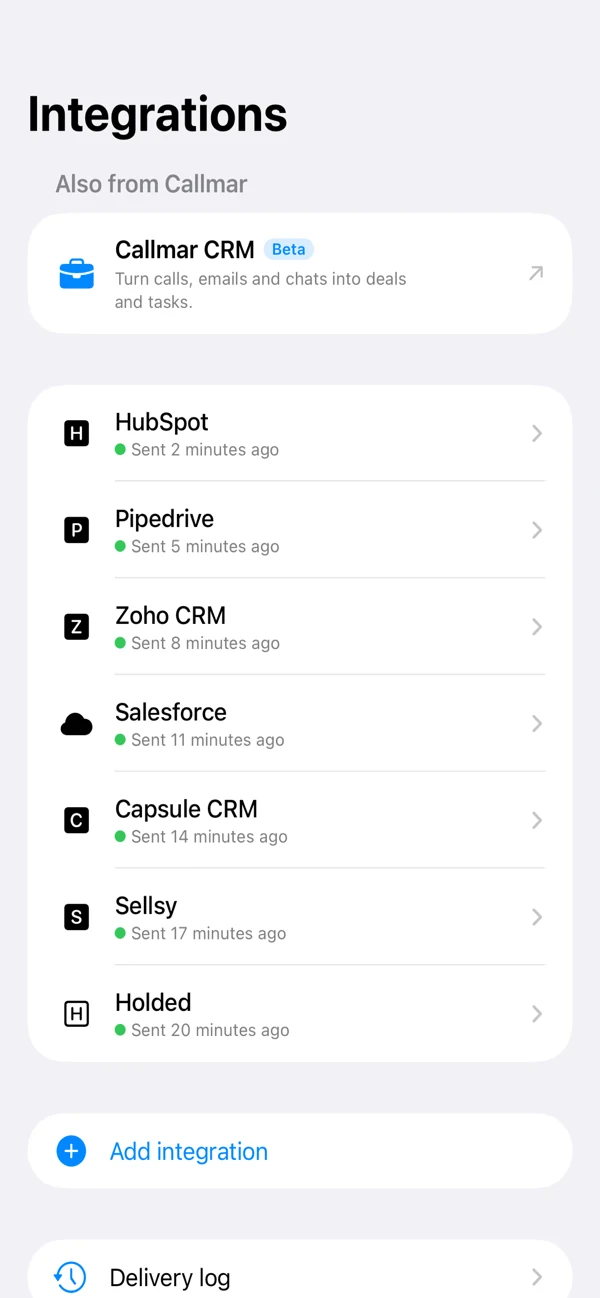
Callmar keeps a local receipt for a confirmed Salesforce delivery. The integration screen shows transcribed, delivered, missing and queued calls. Send missing calls queues only calls without a receipt.
Delivery log shows items that are still waiting and their last error. Fix the connection or Salesforce permissions, then retry that item. Resend everything deliberately clears receipts and may create duplicates, so it is not a normal retry button.
Fix common Salesforce setup problems
Salesforce reports a callback mismatch
Compare the callback one character at a time. It must be callmar://oauth/salesforce in the External Client App.
Sign-in works, but the connection later expires
Confirm that the refresh-token scope is present and that Require Secret for Refresh Token Flow is off for this native app.
The Consumer Key is rejected
Make sure you copied the key from the saved External Client App and chose Production or Sandbox to match the organisation. New app settings can take a short time to become active.
A Task is created but not linked
Check the Contact phone fields and number format. Turn on auto-create only when a new basic Contact is acceptable.
Permissions and privacy
Connect with a Salesforce user that can read or create the Contacts and Tasks needed by the workflow. A permission-set or field rule can block the test even when OAuth itself succeeds.
After delivery, the transcript is Salesforce data and follows your organisation’s sharing, retention and audit policies. The audio recording stays on the iPhone and is not uploaded by the direct integration.
Bring your own SIP line. 14-day free trial. Recording & transcription off by default.