HubSpot · Guide
Log SIP calls in HubSpot from iPhone
Send Callmar call details and transcript text to HubSpot without uploading the conversation recording.
Updated for Callmar 1.4 ·
What Callmar adds to HubSpot
Callmar creates a HubSpot call record with the phone number, direction, time, duration and transcript text. It searches for a contact through HubSpot’s normalized phone-search fields and links the first result returned. Verify the association during your first known-contact test, especially if contacts share the same local phone digits.
The call body contains a readable header and the transcript. Callmar does not attach the recording and does not put the Apple Intelligence summary into the direct HubSpot record.
Can HubSpot log iPhone calls automatically?
HubSpot’s current mobile documentation gives iPhone users Caller ID and contact sync, while its screen for logging calls made outside HubSpot is documented for Android and Xiaomi. Callmar uses a different architecture: it is the SIP softphone that handles the business call, then writes the completed result to HubSpot.
That means an incoming or outgoing SIP call made in Callmar can become a HubSpot call record automatically after the transcript is ready. Callmar still cannot inspect a normal carrier call from the Phone app, FaceTime, WhatsApp or a call made in another softphone.
Use this workflow when your team already has SIP credentials or a PBX extension and wants the transcript beside the HubSpot contact. It is not a SIM-call tracker and does not upload the audio recording. See HubSpot’s current mobile call-log documentation for the native app’s iOS and Android differences.
Create a HubSpot Service Key
- Sign in to HubSpot with Super Admin or Developer tools access.
- Open Development → Keys → Service keys and create a key named Callmar. Service Keys are currently a HubSpot beta; if they are unavailable, use a legacy Private App.
- Add
crm.objects.contacts.readandcrm.objects.contacts.write. Add the schema access shown by HubSpot for creating Callmar’s deduplication property; the current Callmar setup screen namescrm.schemas.contacts.write. - If
crm.objects.calls.readis available for the key, include it so Test connection can read the temporary call back after creation. - Create the key, reveal its value and copy it into a password manager before pasting it into Callmar.
HubSpot’s official Service Key guide shows the current menu path and permission model. HubSpot can show an existing key again to an authorised administrator; it is not necessarily a one-time copy.
Connect HubSpot in Callmar
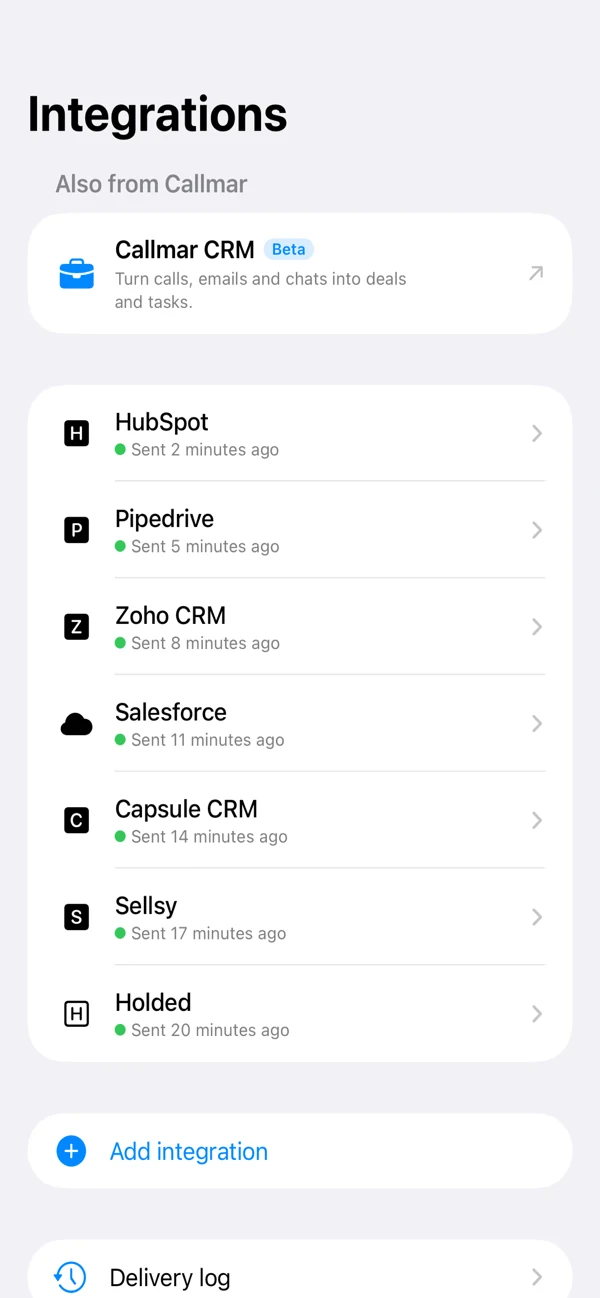
- Open Callmar → Settings → Integrations → Add integration → HubSpot.
- Paste the Service Key or Private App access token and tap Save.
- Tap Test connection and wait for Callmar to confirm the test call was created and archived.
The test prepares Callmar’s duplicate-protection property, creates a temporary HubSpot call, reads it back and archives it. A permission error here is more useful than discovering the missing scope after a real customer call.
Choose what happens to unknown numbers
Auto-create contact if missing is off by default. With it off, Callmar can create a HubSpot call without a contact association when no phone match is found. With it on, Callmar creates a basic contact containing the phone number and links the call.
Leave the switch off if your team has strict rules for contact ownership, lifecycle stage, required fields or duplicate review. Turn it on only after testing an unknown number in a safe account.
Verify the first call in HubSpot
- Choose a caller whose number already exists on a HubSpot contact.
- Complete a short Callmar SIP call and wait for its transcript.
- Open the HubSpot integration in Callmar and check the Delivered count.
- Open the contact timeline or calls area in HubSpot and review the direction, duration and transcript text.
Then test an unknown number if you need auto-create. Do not start by resending a full call archive; one known and one unknown contact expose most configuration problems cleanly.
Read the Callmar delivery status
The integration detail shows how many calls have transcripts, how many have confirmed delivery receipts, how many are missing and how many are in the retry queue. Open Delivery log for queued items and the last error returned by HubSpot.
Send missing calls is the normal recovery action because it skips confirmed receipts. Resend everything clears those receipts and can produce duplicate call records; use it only when you intentionally want a complete resend.
Fix common HubSpot problems
Token saved, but Test connection returns forbidden
Edit the Service Key and add the missing contact, call-read or schema permission named in the error. Saving a token proves only that Callmar stored it, not that HubSpot granted every action.
No matching contact is found
Check the contact’s Phone and Mobile phone fields and use a consistent international number format. Decide separately whether Auto-create is appropriate.
The Service Keys menu is missing
The feature is still a HubSpot beta and also depends on user access. Use an administrator with Developer tools access or, where appropriate, create a legacy Private App with equivalent scopes.
A call is waiting in the queue
Open Delivery log, fix the token or scope, then retry the item. Avoid replacing a working key until you know which permission failed.
Keep the data boundary clear
HubSpot receives the call fields and transcript text needed for the CRM record. The recording stays on the iPhone, and the direct integration does not send the Apple Intelligence summary or follow-up tasks.
Once delivered, the transcript is governed by your HubSpot users, teams, exports and retention policies. Use a least-privilege Service Key and remove it from HubSpot when the integration is no longer used.
Bring your own SIP line. 14-day free trial. Recording & transcription off by default.